IGNOU Student Login is an important online facility for students enrolled with Indira Gandhi National Open University (IGNOU). Through the student login portal, students can access various online services related to their admission, examinations, assignments, academic records, and other university-related activities.
IGNOU has introduced several digital services to make it easier for students to manage their academic activities online. Instead of visiting a regional centre for every small requirement, students can use the official IGNOU Samarth portal to access many services from anywhere.
Students should always use the official IGNOU portal when entering their login credentials. Avoid sharing your username, password, OTP, or other personal information with anyone.
IGNOU Student Login Portal
The IGNOU Student Login portal is an online platform that allows students to access university-related services using their registered credentials. The portal is useful for both newly admitted and existing students, depending on the service available to their programme and admission cycle.
Students may need their registered login credentials to access their account. After successfully logging in, students can view or manage the services available to them through the portal.
The portal can be accessed from a computer, laptop, tablet, or smartphone with a stable internet connection.
Official IGNOU Student Portal:
https://ignou.samarth.edu.in/
Important IGNOU Student Login Links and Information
| Service | Important Information | Link |
|---|---|---|
| IGNOU Student Login | Access the official student portal | https://ignou.samarth.edu.in/ |
| IGNOU Exam Form | Apply for the term-end examination through the Samarth portal | https://ignou.samarth.edu.in/ |
| Student Account | Access services available after login | https://ignou.samarth.edu.in/ |
| IGNOU Admission Services | Access admission-related services where applicable | https://ignou.samarth.edu.in/ |
| IGNOU Examination Services | Access examination-related services through the available portal | https://ignou.samarth.edu.in/ |
| IGNOU Assignment Status | Check assignment-related information separately | https://isms.ignou.ac.in/changeadmdata/StatusAssignment.asp |
| IGNOU Term-End Result | Check IGNOU term-end examination results | https://termendresult.ignou.ac.in/ |
| IGNOU Grievance Portal | Submit and track grievances through iGRAM | https://igram.ignou.ac.in/ |
How to Access IGNOU Student Login?
Accessing the IGNOU Student Login portal is relatively simple. Students should make sure they have their registered login details before starting the process.
Follow these steps:
Step 1: Visit the Official IGNOU Portal
Open a web browser on your mobile phone, laptop, or computer and visit:
Make sure that you are using the official IGNOU website before entering any personal information.
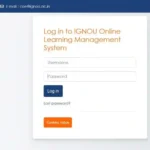
Step 2: Find the Login Option
Once the portal opens, look for the appropriate login option provided for students. The exact layout or options displayed on the portal may change from time to time as IGNOU updates its online services.
Step 3: Enter Your Login Details
Enter the required credentials in the appropriate fields. Depending on the service, you may be asked to provide your username, enrollment-related information, password, or other details.
Enter the information carefully because incorrect credentials may prevent you from accessing your account.
Step 4: Complete the Login Process
After entering the required information, click the login or sign-in button. If the credentials are correct, you should be taken to the relevant student dashboard or service page.
Step 5: Access the Required Service
After logging in, check the available options and select the service you need. Depending on your student account and admission details, different services may be available.
What Can Students Use IGNOU Student Login For?
The IGNOU Student Login portal can be useful for managing several academic activities. The services available to an individual student can depend on their programme, admission cycle, and the services currently enabled by IGNOU.
Some common purposes include checking or managing admission-related information, accessing examination services, and completing other online academic requirements.
Students should regularly check their official portal account and IGNOU notifications so that they do not miss important deadlines.
IGNOU Student Login for Examination Services
One of the important reasons students use the IGNOU Samarth portal is to access examination-related services.
Students may need to use the online portal when completing examination-related activities such as submitting an examination form or accessing services provided through the student account.
Before submitting any examination form, students should carefully check their programme details, course codes, examination information, and other required details.
It is also recommended that students keep a copy of the submitted form and payment confirmation for future reference.
IGNOU Student Login and Admission
New and existing IGNOU students may also need online services for admission-related activities.
After completing the admission process, students should keep their login credentials and registration information safe. These details may be required when accessing university services online.
Students should also make sure that their registered mobile number and email address are correct wherever required because important communications may be sent through registered contact details.
IGNOU Student Login for Exam Form
IGNOU students appearing in the Term-End Examination may need to complete the examination form online.
The Samarth portal is an important platform for accessing examination-related services. Students should visit the official portal and follow the instructions available for their particular examination cycle.
For example, before submitting an examination form, students should verify:
- Enrollment details
- Programme details
- Course codes
- Examination centre information
- Required examination details
- Applicable examination fee
- Submission status
After submitting the form, students should save or download the confirmation page or payment receipt whenever available.
What to Do If IGNOU Student Login Is Not Working?
Sometimes students may experience problems while attempting to log in. Login problems can happen because of incorrect credentials, browser problems, internet connectivity, server traffic, or temporary technical issues.
If your IGNOU Student Login is not working, try the following steps.
First, check that you have entered your login credentials correctly. Pay attention to uppercase and lowercase characters if your password is case-sensitive.
Next, check your internet connection. A weak or unstable connection can cause the login page to load incorrectly or prevent the login request from being completed.
You can also try refreshing the page and logging in again.
If the problem continues, try using another browser. Clearing the browser cache and cookies can also help resolve certain website-related problems.
Students should avoid repeatedly entering incorrect passwords because this may create additional access problems.
If the official portal is temporarily unavailable, wait for some time and try again later.
Forgot IGNOU Student Login Password
Forgetting login credentials is a common problem for students using online university services.
If you have forgotten your password, look for the password recovery or reset option available on the official login page. Follow the instructions displayed by the portal and provide the information requested for verification.
Students should use only the official IGNOU portal for password recovery.
Do not share your password or OTP with another person claiming to help you recover your account.
After resetting your password, keep the new password secure and avoid using an easily guessable password.
Tips for a Safe IGNOU Student Login
Students should take basic precautions whenever they use the IGNOU online portal.
Always check the website address before entering your username, password, OTP, or other personal information.
Do not share your login credentials with friends, agents, or unknown individuals.
Avoid saving your password on public or shared computers.
Always log out after using your student account on a shared device.
Do not click on suspicious links received through unofficial messages or social media posts.
If you receive a message asking for your IGNOU password, OTP, or other sensitive information, verify the request through official IGNOU channels before taking any action.
IGNOU Student Login on Mobile
Students can also access the IGNOU Samarth portal using a smartphone. Open a supported mobile browser and visit:
The portal may display differently depending on the screen size and browser being used.
For important activities such as examination forms or other submissions involving payment, students should carefully review all information before completing the process.
If the mobile website does not work properly, students can try using a desktop or laptop.
Difference Between IGNOU Student Login and IGNOU Result Portal
Students sometimes confuse the IGNOU Student Login portal with the IGNOU Term-End Result portal.
The student login portal is used to access various student-related services through the Samarth platform.
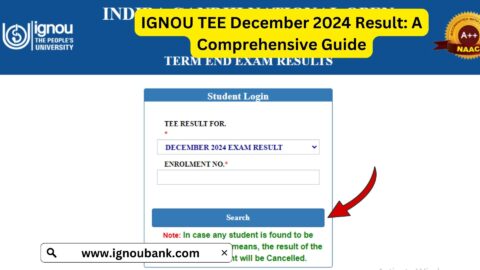
The IGNOU result portal is specifically used to check term-end examination results.
Students looking for their term-end examination result can visit:
https://termendresult.ignou.ac.in
Therefore, if you are trying to log in to your student account, use the Samarth portal. If you are only trying to check your term-end result, use the official result portal.
IGNOU Student Login and Assignment Status
Assignment status is another service that students frequently need to check.
However, assignment status may be available through a separate IGNOU system rather than directly through the general student login portal.
Students can check assignment status through the following link:
https://isms.ignou.ac.in/changeadmdata/StatusAssignment.asp
Before checking the status, students should enter the required details carefully.
If the assignment status is not updated immediately after submission, students should allow sufficient processing time and check again later.
Why IGNOU Student Login Is Important?
IGNOU has a large student community spread across different parts of India and other locations. Online services make it easier for students to manage many academic activities without having to visit a regional centre for every requirement.
The IGNOU Student Login portal provides a centralized online point for accessing available student services.
For students pursuing distance and online education, having reliable access to digital services is particularly important because academic activities, examination processes, admission services, and other requirements often involve online procedures.
Students should therefore keep their login credentials safe and regularly check official IGNOU updates.
Common Problems During IGNOU Student Login
Some common problems students may face include incorrect username or password, forgotten credentials, slow internet connection, browser compatibility issues, temporary website problems, high traffic during deadlines, and incomplete page loading.
If you encounter an error, do not immediately assume that your account has been cancelled or blocked.
First, check your internet connection and login information. Then try accessing the portal again after some time.
During major deadlines, a large number of students may attempt to access the portal simultaneously. This can sometimes result in slow loading or temporary technical difficulties.
Students should avoid waiting until the last day to complete important activities whenever possible.
FAQ about IGNOU Student Login 2026
What is IGNOU Student Login?
IGNOU Student Login is an online facility through which eligible IGNOU students can access various university-related services using their registered credentials.
Where can I access IGNOU Student Login?
You can access the official IGNOU student portal at:
https://ignou.samarth.edu.in/
Can I access IGNOU Student Login from my mobile?
Yes, students can access the portal through a mobile browser. If the portal does not work properly on a smartphone, try using a laptop or desktop computer.
What should I do if I forget my IGNOU login password?
Use the password recovery or reset option available on the official portal and follow the instructions provided there.
Is IGNOU Student Login the same as the IGNOU result portal?
No. The student login portal and term-end result portal serve different purposes. The student portal provides access to student-related services, while the result portal is used to check examination results.
Why is the IGNOU login page not opening?
The issue may be caused by internet connectivity, browser problems, temporary technical issues, or heavy traffic on the portal. Try refreshing the page, using another browser, or accessing the portal later.
Should I share my IGNOU login password with someone?
No. Students should keep their login credentials confidential and should never share passwords or OTPs with unknown individuals.
Can I use IGNOU Student Login for examination-related services?
Depending on the service and current IGNOU procedures, students may use the Samarth portal for examination-related activities. Always follow the instructions displayed on the official portal for your examination cycle.
Conclusion
The IGNOU Student Login portal is an important online facility for students who want to access IGNOU’s digital services. Through the official Samarth portal, students can access the services available for their account and complete various academic or administrative activities online.
Students should always use the official IGNOU website and carefully enter their login details. Keeping your credentials secure, checking important deadlines in advance, and regularly monitoring official IGNOU updates can help avoid unnecessary problems.
If you are looking for the official IGNOU Student Login page, use the following link:
For important activities such as examination forms, admission-related services, and other online processes, students should follow the instructions available on the official IGNOU portal and ensure that all submitted information is correct.